Approvals and sub-agents
Once the tasks get bigger, two workflow pieces start to matter more: approvals and sub-agent threads.
Approvals
Tool approvals are part of the runtime model.
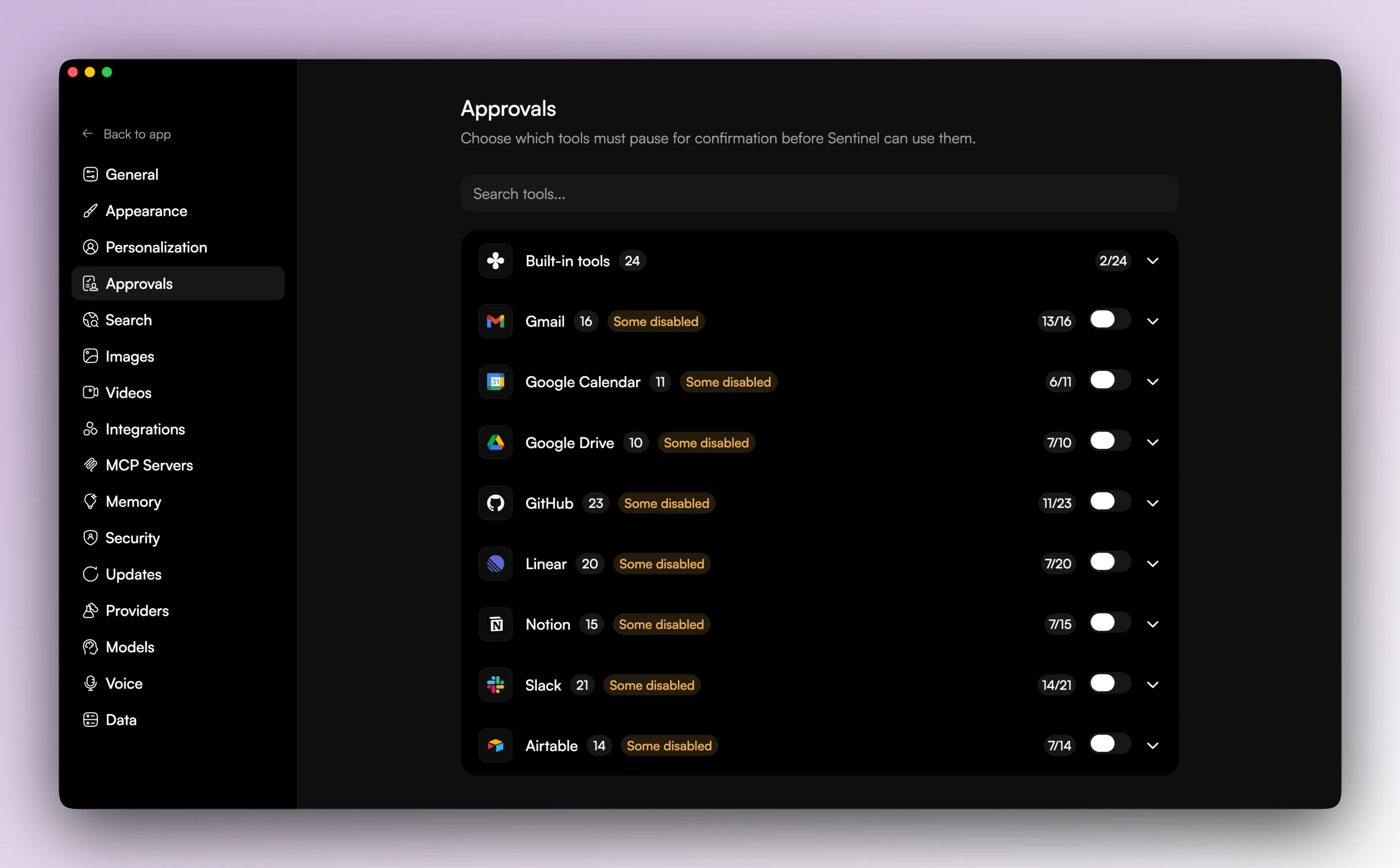
When a tool or tool group needs confirmation, a thread can pause in awaiting_approval until you respond. Approval settings can be controlled at two levels: the global permission mode and per-tool or per-group approval rules.
The approvals settings screen groups tools by area and lets you require approval or let them run immediately. That is useful when you want one kind of behavior for built-in local tools and another for integrations or higher-risk actions.
Security and permission mode
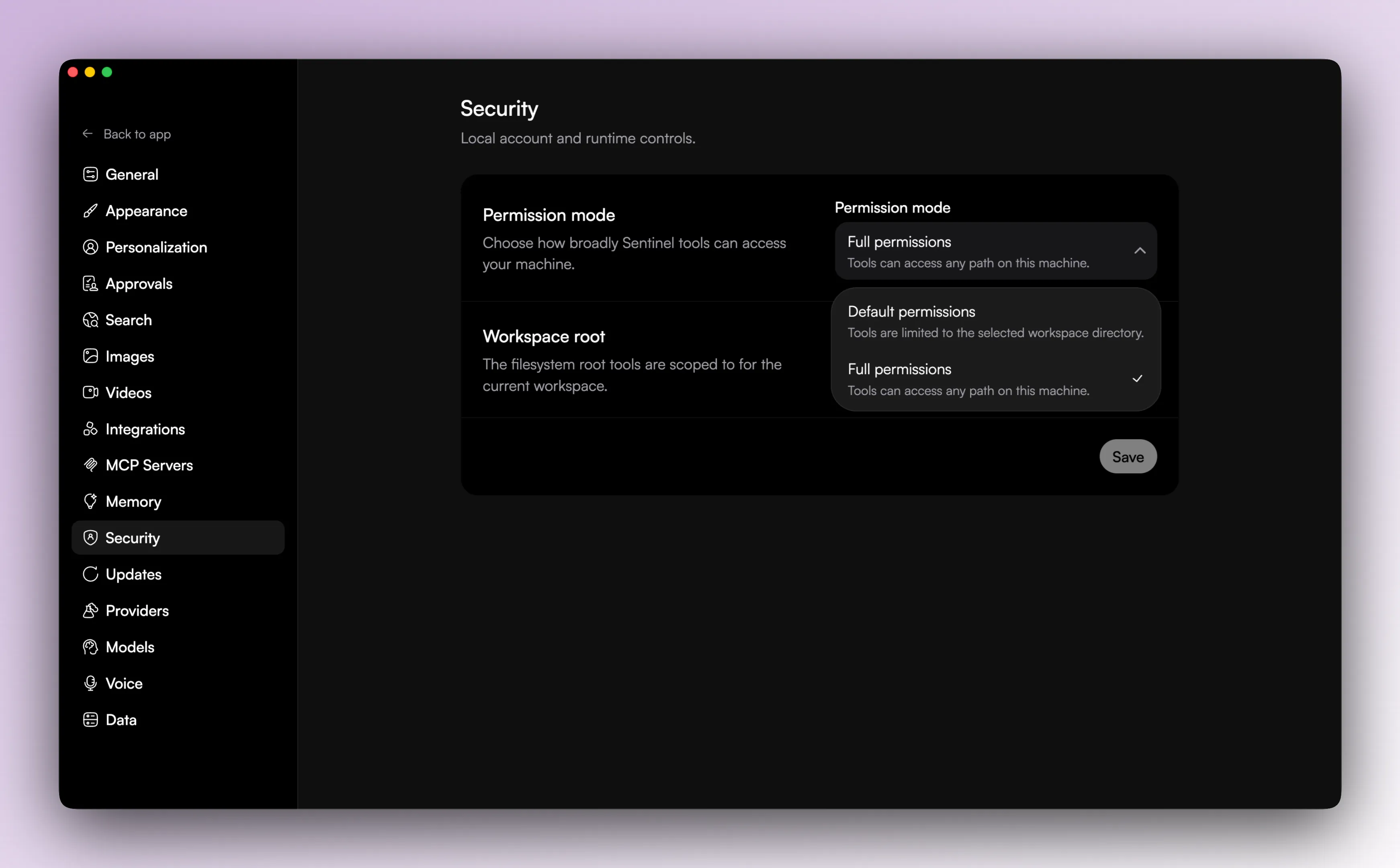
Sentinel also has a broader security setting for permission mode. The visible choices are default and full.
Workspace-level permission overrides can also exist, so a workspace can differ from the global default. That gives you a practical middle ground instead of forcing one policy across every project.
Sub-agent threads
Sentinel has explicit support for sub-agent threads. A parent thread can resolve a child thread, and that child work keeps its own thread state. It can stream, hit tool approvals, surface plan questions, and show up in its own panel.
Delegated work stays visible and reviewable. Under the hood, Sentinel treats delegated work as thread state, which is why the app can keep approvals, run state, and summaries attached to the child work instead of flattening it into a blob of text.
When this starts to matter
Once the app is doing more than simple Q&A, you usually need both of these systems. Approvals keep the tool side sane. Sub-agent threads keep delegated work visible.