Repo workflow
The repo is part of the thread.
That is one of the main differences between Sentinel and a generic chat tool. The app does not treat the repo as a side detail. It treats repo state as part of the work context.

What the repo layer does
When a workspace points at a local repo, Sentinel can inspect repo state and use it in the thread.
That includes the current branch, git status, staged and unstaged changes, branch diffs, linked pull request state, worktree state, and checkpoint state tied to the thread. This is what lets the app behave like a repo-aware work surface instead of a chat box that occasionally runs git.
Repo actions in a thread
From the thread UI, Sentinel can expose actions for opening the project in an editor or terminal target, opening the built-in browser, showing repo diffs, generating commit messages, committing changes, pushing the current branch, creating a branch, and creating or linking a pull request.
The app keeps polling repo context while the thread is active, especially when the repo surface is open. That ongoing refresh is part of what keeps the thread grounded in the current state of the project.
Branches and worktrees
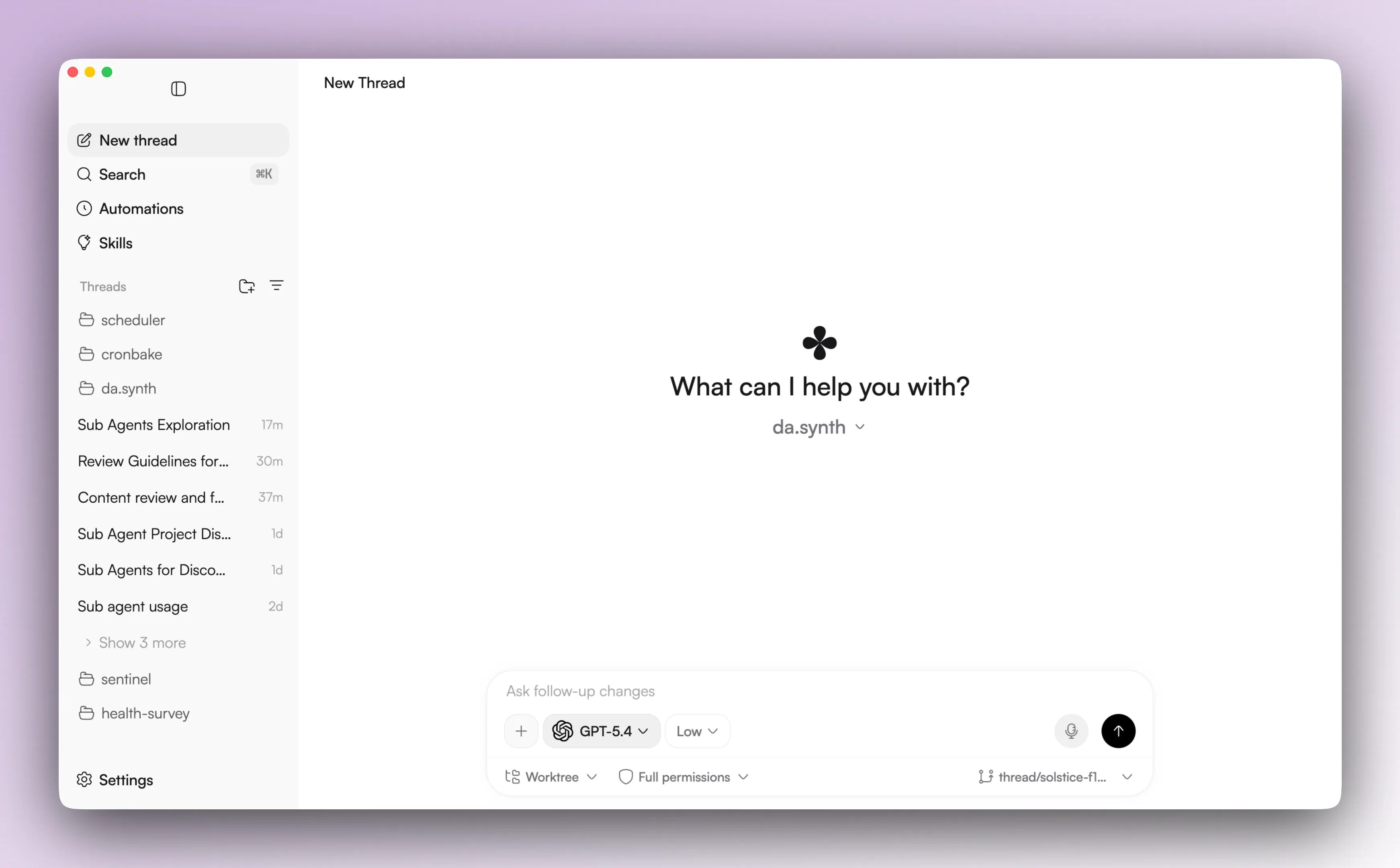
Sentinel supports both local project mode and thread worktrees.
That matters when the current checkout is not the one the thread expects, when there are dirty changes and you want isolation, or when you want a thread to keep its own branch and path. Worktrees are not a strange edge case in this product. They are a normal part of how thread isolation can work.
Checkpoints
Repo checkpoints are tied to thread history.
A thread message can become a checkpoint anchor. The repo state can be captured there, reset back to later, or used as the base for continuing from a different point in the thread. This makes it easier to branch the work without losing the history that led to it.
Pull request state
The thread engine state can store linked pull request information. That lets the UI show the active linked PR, compare links, PR status in the sidebar, and PR-related actions from the thread action bar.
Limits to keep in mind
This part of the product works best when the workspace has a valid local root path and the app is running in desktop mode.
Without that, Sentinel still works as a thread-based AI app, but the repo-native parts get thinner fast.
Related pages
The next useful pages are Terminal and browser and Approvals and sub-agents.