MCP and integrations
Sentinel has two different extension layers here: MCP servers and integrations.
They are related, but they solve different jobs. It is worth keeping that distinction clean because the setup screens can look similar if you only glance at them.
MCP servers
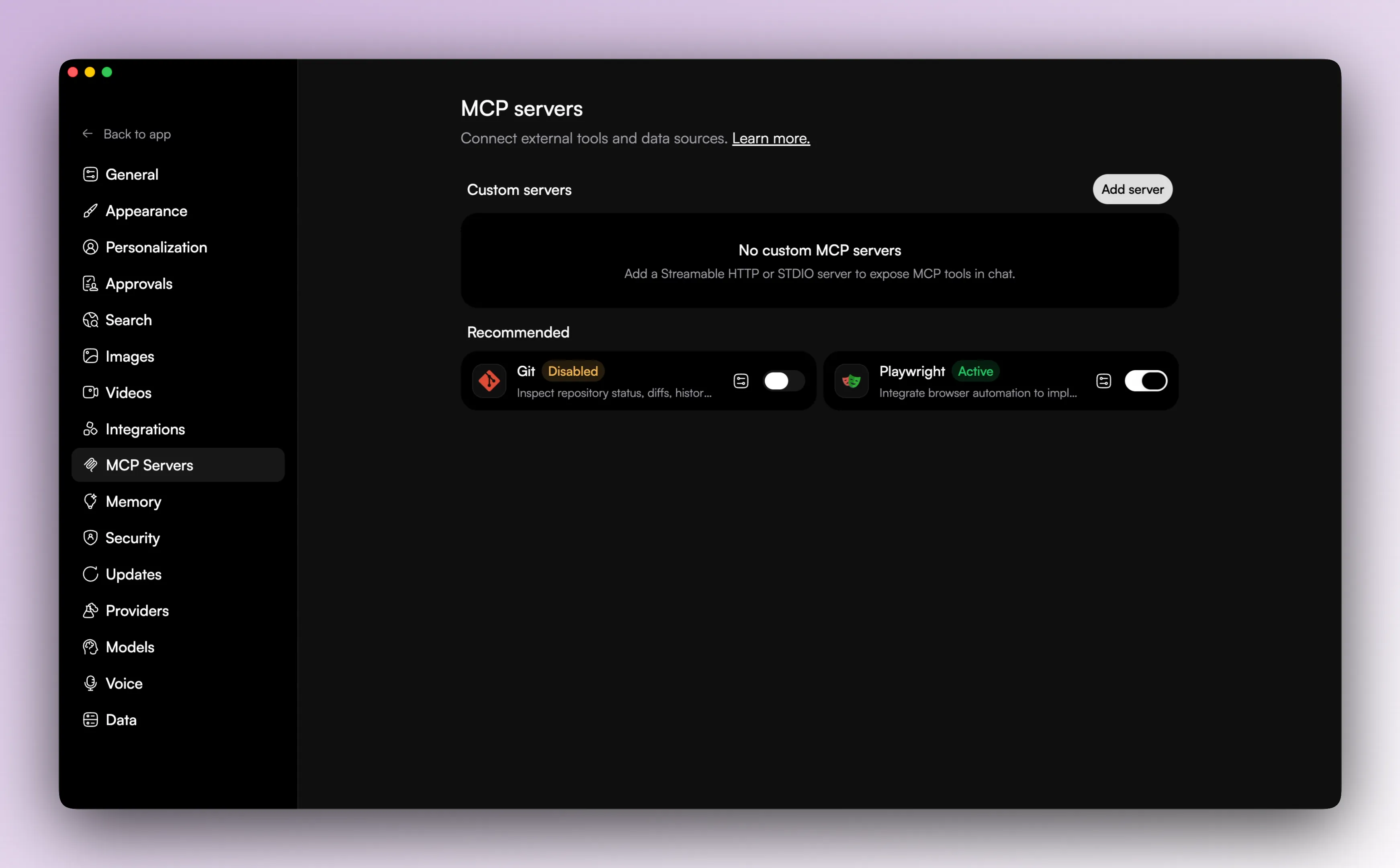
MCP support is built into the app.
Users can add catalog-backed servers, custom STDIO servers, and custom HTTP servers. The app lets you create, edit, enable, disable, and delete them. It also validates config, stores config securely, and supports OAuth flows for the HTTP MCP servers that need it.
The curated MCP catalog in the code currently includes a small set of entries, including Git and Playwright. That catalog is there to make common servers easier to start with, not to define the whole boundary of what MCP can do in Sentinel.

Integrations
Integrations connect Sentinel to external systems the app can act on directly.
The current provider list includes Gmail, Google Calendar, Google Drive, Airtable, Slack, Notion, GitHub, Linear, PostgreSQL, MySQL, MongoDB, Yahoo Finance, arXiv, and PubMed.
The difference from MCP is that these are built-in product integrations. Sentinel already knows how to render them, authorize them, and turn their results into app-native thread output.
Integration auth types
Depending on the provider, an integration can use OAuth, connection config, or no auth at all.
The integrations settings UI reflects that split. Database providers open one setup flow, OAuth providers use another, and authless providers can be enabled directly. That is mostly a product detail, but it helps explain why the settings UI does not look identical across every provider.
Practical difference
Use MCP when you want a server-shaped protocol integration and you are comfortable treating the external capability as a tool server.
Use the integrations system when Sentinel already has a built-in workflow for that external system and you want the app to handle the auth, state, and UI around it.