Providers and models
Sentinel separates provider setup from model setup.
It helps to understand that split early.
Providers
A provider is the connection layer. This is where Sentinel stores credentials, encrypted config, and the basic enabled or disabled state for that connection.
The providers screen is where you connect, edit, enable, disable, or remove a provider. Keeping that layer separate from the model catalog makes the rest of the setup easier to reason about.

What providers are supported
Current provider support includes OpenAI, Anthropic, Google AI Studio, Google Vertex AI, xAI, Azure OpenAI, Amazon Bedrock, Groq, Cohere, Moonshot AI, Mistral, Ollama, OpenRouter, and Vercel AI Gateway.
Models
The models screen is where you manage what models are available once a provider is connected. That includes built-in catalog entries, enabled and disabled state, custom model IDs where that makes sense, capability labels, and runtime status for the Codex, Claude, and Copilot integrations.
This split is useful in practice. You might have a provider configured correctly but still only want a couple of models visible in the picker. Or you might want to keep a provider around while disabling it for a while. Sentinel treats those as separate decisions.
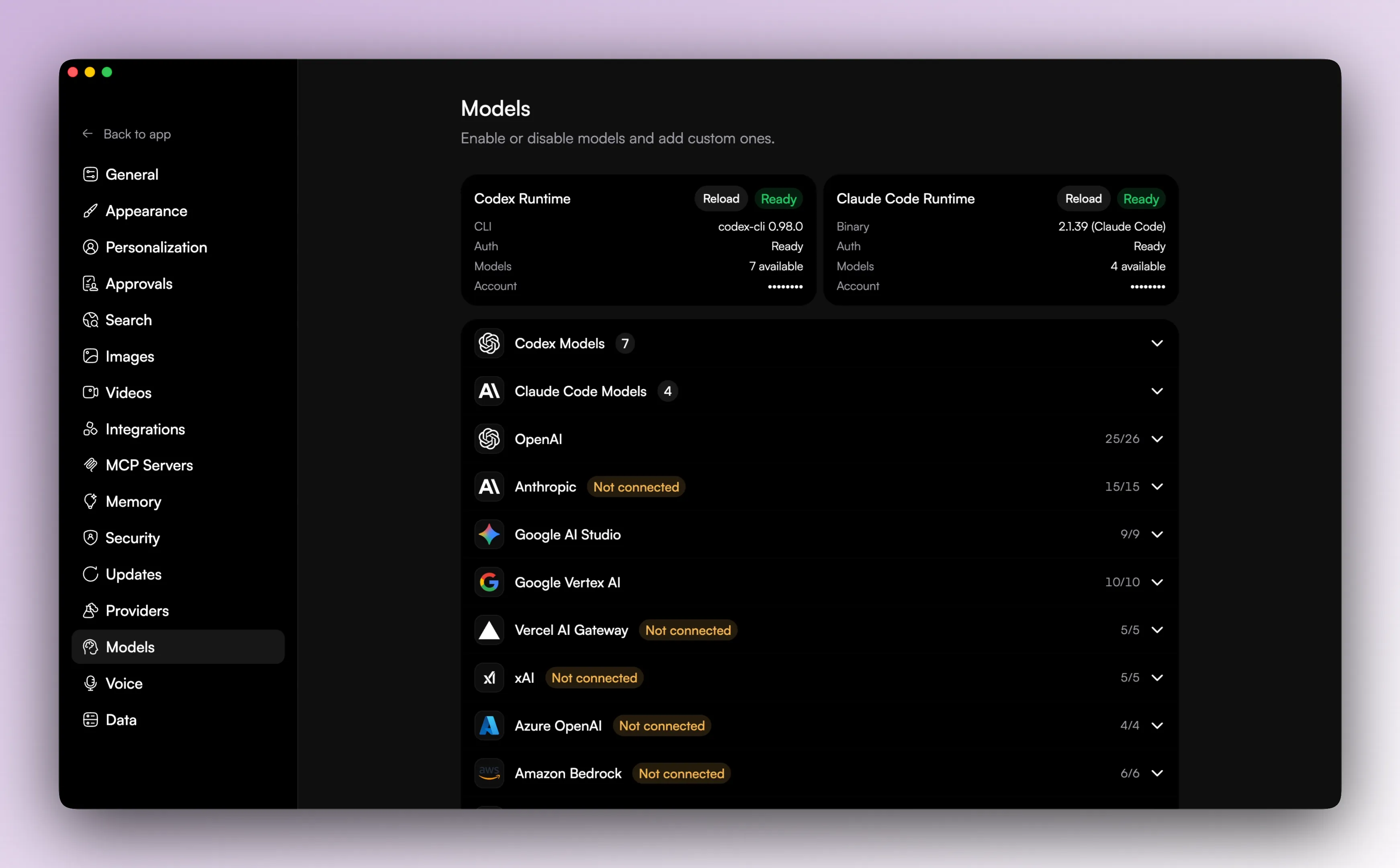
Connected vs enabled
In Sentinel, a configured provider and an enabled model are two different things.
You can connect a provider, disable it later, leave some models enabled and others disabled, and add custom model IDs where supported. Once that split is clear, the setup screens feel a lot less confusing.
Engines
Sentinel has four engines: sentinel, codex, claude, and copilot.
The sentinel engine is the app-managed runtime. codex, claude, and copilot are local runtime integrations, and the models screen shows runtime status for those engines along with refresh actions for availability.
This is why engine choice changes more than the label in the model picker. Codex threads can carry sandbox mode, approval policy, and a linked Codex thread ID. Claude threads carry their own session state. Copilot threads carry their own session state too, including the linked session, model, and reasoning effort. The engine changes what kind of runtime is attached to the thread, not just which model name appears in the UI.
Good next reads
The next useful pages here are Search, voice, images, and videos, Memory, security, and data, and Engines, providers, and integrations.